.svg)

Annotation is essential for improving the accuracy of AI models. In recent years, the demand for annotation has increased, and various annotation tools have become available. Those who are implementing AI technology may be considering the introduction of an annotation tool.
The problem that arises there is, "Which annotation tool should our company use?" Even if you search for annotation tools, so many are introduced that many representatives might find it difficult to decide which one to use.
In this article, we introduce and compare 12 representative types of annotation tools. We also explain the points for choosing the best tool and how to choose when you are unsure, so you can select an annotation tool smoothly.
If you are lost in choosing an annotation tool, please use this as a reference.
|
【Table of Contents】 |
1. Comparison of 12 Annotation Tools

An annotation tool is a tool that streamlines the labeling work essential for improving the accuracy of AI models. In this article, we compare the following 12 annotation tools.
Please compare each annotation tool and use it as a reference for your tool selection.
1. AnnoEase

AnnoEase is an annotation tool that allows one-stop execution and management of everything from estimating annotation outsourcing costs and ordering to receiving training data.
Since it can significantly reduce the effort and stress associated with ordering, it is useful for solving problems such as a lack of resources for organizing requirements and creating specifications, or ballooning communication costs with contractors in outsourcing.
Furthermore, AnnoEase provides upstream support services where you can collectively request everything from requirement definition to the creation of training data. It is recommended for those who want to consult on machine learning algorithms and peripheral systems while proceeding with requirement organization through close communication with contractors.
< Features of AnnoEase >
- Able to unify the annotation outsourcing process and calculate industry-lowest class outsourcing costs
- Training data that has passed cross-checks
- Specifications that make organizing requirements easy
- Free rework for annotations
- Additional ordering function utilizing order history
Official Website: https://www.nextremer.com/data-annotation
2. LabelBox
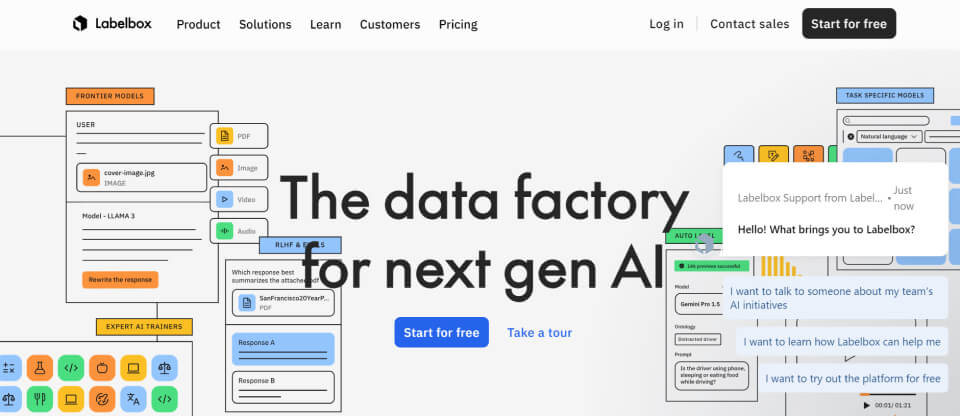
LabelBox is an annotation tool that enables labeling with high-precision training data. It provides model training, diagnostics, and labeling services on a single platform.
It provides solutions for both image and text annotation and can be applied to diverse projects. Intuitive annotation is possible, and the operability is excellent.
Additionally, LabelBox supports various output formats and is characterized by its ability to adjust to AI formats used internally. It also has a function to correct data that could affect the quality of annotation, supporting its operation.
< Features of LabelBox >
- Excels at image annotation
- Close integration with the Google Cloud Vertex AI platform
- Intuitive operation
- Automatic correction of training data
- Free up to 500 LBU per month
Official Website: https://labelbox.com/
3. VoTT
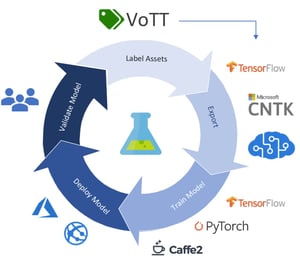
VoTT is an open-source annotation tool provided by Microsoft. It is based on the MIT license and is free to use.
It is mainly used for image and video annotation and supports diverse formats. It is available for Windows, MacOS, and Linux.
Furthermore, label data can be exported in various formats such as Azure AI Custom Vision, TensorFlow (Pascal VOC and TFRecords), and CSV format.
VoTT has a tracking function that follows people or objects, making it useful for video annotation. Since the interface introduces GUI operations, even beginners can perform annotation smoothly.
Task management functions are not extensive, so it is suited for short-term use. Currently, VoTT is not being updated, so if you require the latest functions or support, you need to consider other tools.
< Features of VoTT >
- Has an effective tracking function for video annotation
- Supports various formats
- Available for free
- Easy to operate
- Currently not being updated
Official Website: https://github.com/microsoft/VoTT
4. CVAT
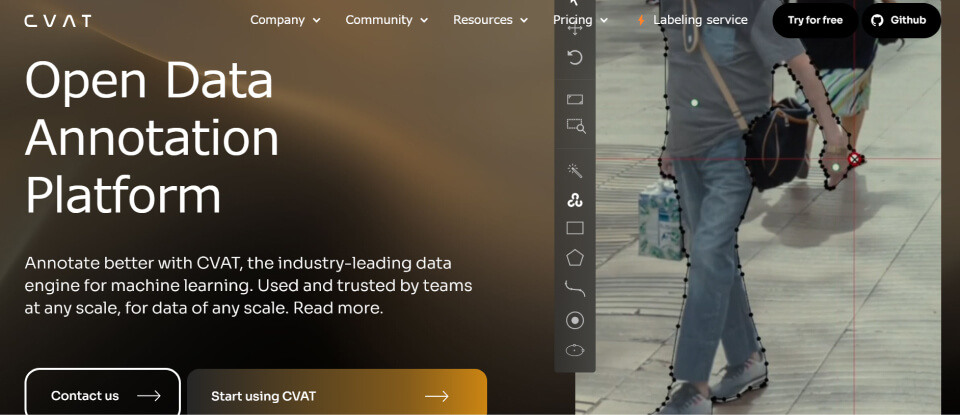
CVAT is an annotation tool provided in an open-source version that can be installed locally and a cloud version, and it can be used for free.
It enables bounding box and polygon segmentation tasks and has excellent functions for image and video annotation. Semi-automatic annotation and tracking functions can also be utilized to process large amounts of data.
In the cloud version, no installation is required and no settings are necessary, so you can implement annotation immediately. Both the open-source and cloud versions feature an intuitive and easy-to-use GUI. CVAT's strength is that anyone can start annotation easily.
< Features of CVAT >
- Available from free
- Anyone can easily annotate on a browser
- Excels at image and video annotation
- Semi-automatic annotation and tracking functions can be used
5. LabelMe
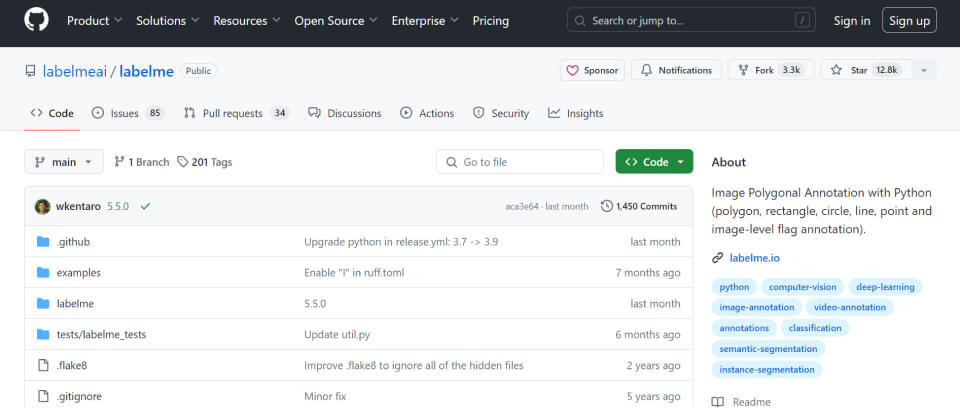
LabelMe is a free open-source annotation tool developed by MIT (Massachusetts Institute of Technology). It is highly extensible, allowing for customization and functional expansion based on Python.
It is available on a browser and excels at image and video annotation. It features a user-friendly interface.
It supports annotation for keypoints, bounding boxes, polygons, semantic segmentation, and instance segmentation, allowing for intuitive work.
Account creation and login are also unnecessary, making it a highly convenient open-source tool that can immediately execute simple annotations.
< Features of LabelMe >
- Excels at image and video annotation
- Excellent operability
- Available for free
- No account creation or login required
Official Website: https://github.com/labelmeai/labelme
6. Amazon SageMaker Ground Truth
Amazon SageMaker Ground Truth is an annotation tool provided by AWS (Amazon Web Services) that incorporates Human-in-the-Loop functionality.
It enables scalable data labeling and also features semi-automatic labeling functionality that uses AI models to automatically label data and sends it to workers only when human verification is required.
It supports more than 30 types of annotation including images, text, video, audio, and 3D point clouds.
In addition, expert support and agency services are possible, allowing you to have the annotation flow created and managed. This also enables the creation of advanced training data and in-house production of annotation.
< Features of Amazon SageMaker Ground Truth >
- Supports various types of annotation
- Able to build internal annotation flows
- Easy integration with other AWS services
- Services such as expert support and agency are available
- In-house production of annotation is possible
Official Website: https://aws.amazon.com/jp/sagemaker/groundtruth/
7. V7
V7 is a platform that comprehensively supports data management, annotation, and model training for AI development. It responds to a wide range of needs from free trials to custom solutions for enterprises.
It is popular as a tool that can utilize automatic annotation. Training by AI is complete, making it possible to perform annotations accurately while shortening the work time. It also supports labeling for 3D data and complex image data.
Furthermore, it can be easily operated manually, such as being able to annotate with one click. Additionally, dataset management and reporting functions are extensive, making it suitable for managing large-scale datasets. Since you can add comments to annotation data, information sharing is easy even for team work.
< Features of V7 >
- Efficient work possible with automatic annotation
- Supports complex image and video annotation
- Data management functions are also abundant
- Basic plan can be used for free
Official Website: https://www.v7labs.com/
8. Annotorious
Annotorious is an image annotation tool built with JavaScript and is available as open source. As a flexible tool that can easily add image annotation functions to websites and applications, it is utilized in various fields such as research projects and digital archives.
Since the source code is published on GitHub, it can be easily introduced. It supports image annotations such as keypoints, bounding boxes, and polygons, and labeling is possible by writing JavaScript. You can add annotation functionality to images with just a few lines of JavaScript code.
JavaScript is a programming language, and if you have programming knowledge, you can customize it into a unique system. If there is talent capable of programming in-house, it is a candidate annotation tool.
< Features of Annotorious >
Available as open source and easy to use
Excels at image annotation
Customization is possible if you can use programming languages
Official Website: https://annotorious.github.io/
9. FastLabel
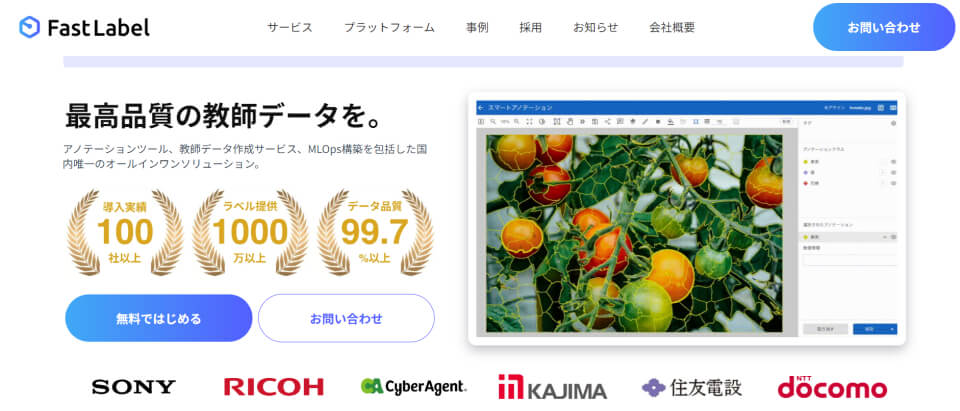
FastLabel, which provides services that can be utilized in a wide range of fields, is an annotation tool provided by a Japanese company.
Creation and construction of annotation, training data, and MLOps are possible, and solutions corresponding to a wide range of projects can be utilized. Automatic annotation by AI is also possible, significantly reducing the work burden.
It is also characterized by being used by many companies, with a track record of introduction to more than 100 companies and provision of more than 10,000 labels. Since there are abundant types of annotation and output formats and the range of support is wide, ease of introduction is an advantage.
< Features of FastLabel >
- Supports Japanese
- Annotation for a wide range of projects is possible
- Reliable with abundant track record
- Covers a wide range of annotation methods and output formats
- Cloud version and desktop version provided
Official Website: https://fastlabel.ai/
10. ProLabel
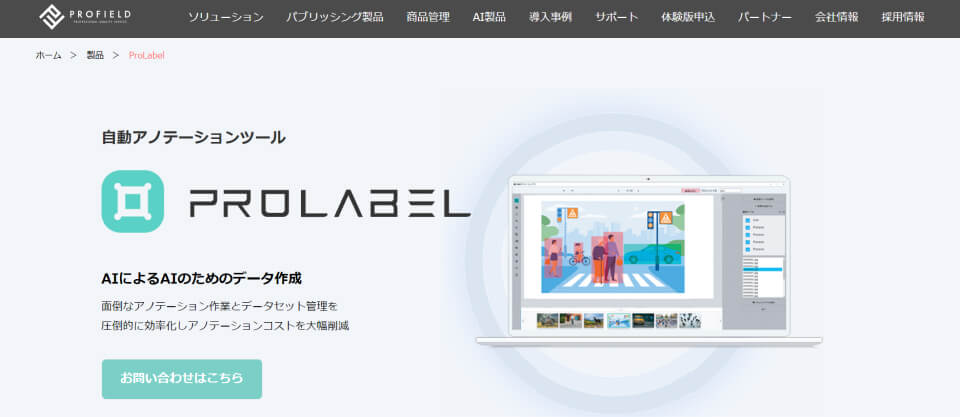
ProLabel is an annotation tool excellent for annotation work and dataset management. There are three plans: Bounding Box Trial version, Bounding Box Edition version, and Pro version, and functions and support corresponding to each plan are provided.
Image annotation and training data creation by ProLabel's unique AI are possible, and efficient assignment of bounding boxes and labeling are performed. It is characterized by a data augmentation function that extends the dataset by applying processes such as flipping and blurring to the original image, and automatically labels the newly generated images. Furthermore, by utilizing AI, high-precision data labeling is possible automatically.
Annotation data can be corrected with verification mode and highlight functions. The output format supports txt, xml, csv, and json, and the ease of matching formats is also a recommended point.
< Features of ProLabel >
- Automatic annotation by AI is possible
- Number of training data images can be increased by data augmentation
- Annotation data can be corrected
- Supports a wide variety of output formats
Official Website: https://www.profield.jp/product_prolabel.html
11. harBest
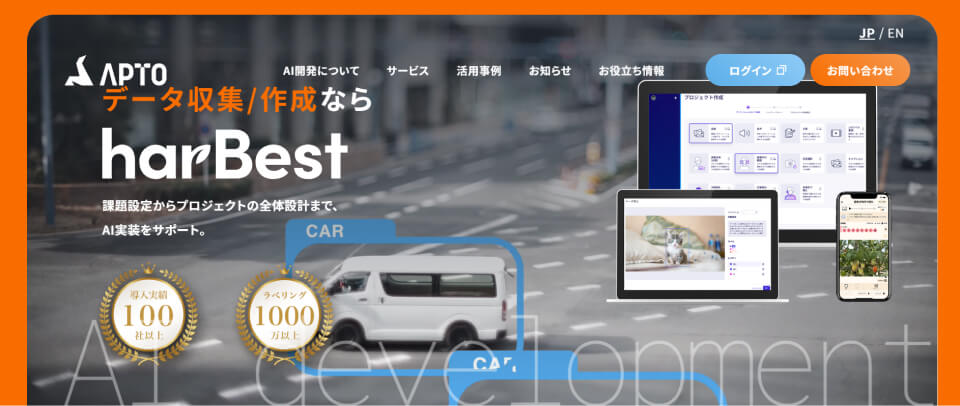
harBest is a service where you can order data collection and creation, and it adopts a crowdsourcing system. It supports everything from data collection and annotation to project-wide design.
Since annotation users (crowd workers) registered with harBest perform data collection and creation on your behalf, it is possible to significantly reduce the time spent on annotation. The quality management system is also extensive, allowing you to utilize data excellent in both quality and quantity for annotation.
Furthermore, the uniquely developed platform provided by harBest can be used on a monthly basis. The unique development platform reduces costs incurred in AI development and is also effective for in-house production of annotation.
< Features of harBest >
- Data collection and creation can be ordered
- Large amounts of high-quality data can be utilized
- Outsourcing of annotation work is possible
Official Website: https://harbest.io/
12. Annofab

Annofab is a cloud-based all-in-one annotation tool for efficiently performing annotation for images, video, and 3D data. Since most functions are available for free, it becomes possible to produce high-quality annotations at low cost.
It supports annotations for image, video, 3D data, tables, time-series data, etc., and features an editor for editing data quickly and accurately. Additionally, it supports data such as audio, map, language, and time-series, as well as tasks for classification, tracking, and detection, allowing for customization into an easy-to-use tool.
You can receive generous services after introduction, such as workflows that guarantee quality and support by annotators. Demo requests are also possible, allowing you to check operability through trial runs.
< Features of Annofab >
- Available editor excellent for editing annotation data
- Supports various data and tasks
- Service system that even beginners can use with peace of mind
- Crowdsourced annotators are not used
Official Website: https://annofab.com/
2. Points for Choosing the Best Annotation Tool for Your Company

It is important to select an annotation tool by keeping the following points in mind.
|
We will explain each of these points.
Does it fit the purpose?
To choose the optimal tool, you need to judge whether it aligns with your internal project purpose.
Required functions and features differ by usage scene, such as projects needing high-precision image annotation functionality or projects needing (semi-)automatic annotation functionality that can process large amounts of data. If the introduction of an annotation tool itself becomes the purpose, it cannot be leveraged for work.
By clarifying in which operation you want to utilize it and what you want to achieve through its introduction, you will be able to choose the optimal annotation tool for your company.
Reference Article:
「Why is Annotation Difficult to Automate? Cases Where Manual Annotation is Required」
Is the operability excellent?
In the selection of an annotation tool, good operability is also an important point. An intuitive and easy-to-use interface contributes to improved work efficiency.
Since annotation work involves many fine operations, it is required that the tool's response is good and users can proceed with work without stress. Furthermore, if shortcut keys and completion functions are extensive, work speed will increase further. When performing collaborative work in a team, it is convenient to have functions for simultaneous editing by multiple users and real-time feedback.
To judge operability, it is recommended to actually operate it utilizing demo versions or trial periods. Be sure to perform a trial run before introduction to see if the operability matches.
Does the output format support a format suitable for your internal AI model?
Check during selection whether the output format generated by the annotation tool supports a format suitable for your internal AI model.
If data is output in a different format, conversion will cost effort and money. Therefore, it is good to select a tool capable of outputting in your required output format from the start. By choosing a tool that supports formats compatible with specific machine learning libraries or frameworks, you can save the effort of converting data formats.
Are the management functions extensive?
Efficient work is possible with annotation tools that have extensive management functions.
The larger the project utilizing an annotation tool becomes, the more data organization, progress management, and quality checks become immense, making task management difficult. Therefore, if management functions are installed in the annotation tool, it is easier to efficiently manage annotation data and grasp the work status.
If functions such as feedback, reports, and backups are completed within the tool, data will be easier to manage. Choose an annotation tool by also paying attention to these management functions.
3. Domestically Developed Tools are Recommended if You're Unsure

While we introduced 12 types of annotation tools this time, there are various annotation tools including both domestic and international ones, and selection will take time. If you get stuck in choosing an annotation tool, it is recommended to consider domestically developed tools.
Since domestically developed annotation tools support Japanese, understanding operations and manuals is easy. You can proceed with annotation work smoothly without feeling a language barrier.
Furthermore, the fact that it is easy to directly communicate with the person in charge at the service provider company will also be a major benefit. If it is a company within Japan, you can receive support without worrying about time zone differences or language problems. This allows for smooth consultation on problem-solving customization and rapid response is possible.
Since there are many companies providing annotation tools within Japan, please be sure to consider them.
4. Summary
In this article, we introduced 12 types of annotation tools, but there are numerous tools besides these. It will take time to choose a tool suitable for your company.
As introduced in this article, you will be able to choose the optimal tool more smoothly if you base it on the purpose, operability, output format, and management functions. If you absolutely cannot decide, it is recommended to prioritize comparing annotation tools that support Japanese.
To realize work efficiency and time reduction, understand the types and ways to choose annotation tools.
However, for annotations requiring specialized knowledge such as medical images or special technical fields, or when internal resources are limited, outsourcing annotation work increases the possibility of gaining benefits in terms of efficiency, quality, and cost.
Author

Latest Articles